
DataCurtain
Cinematic Hacker Data Cover
Coming soon to the Mac App Store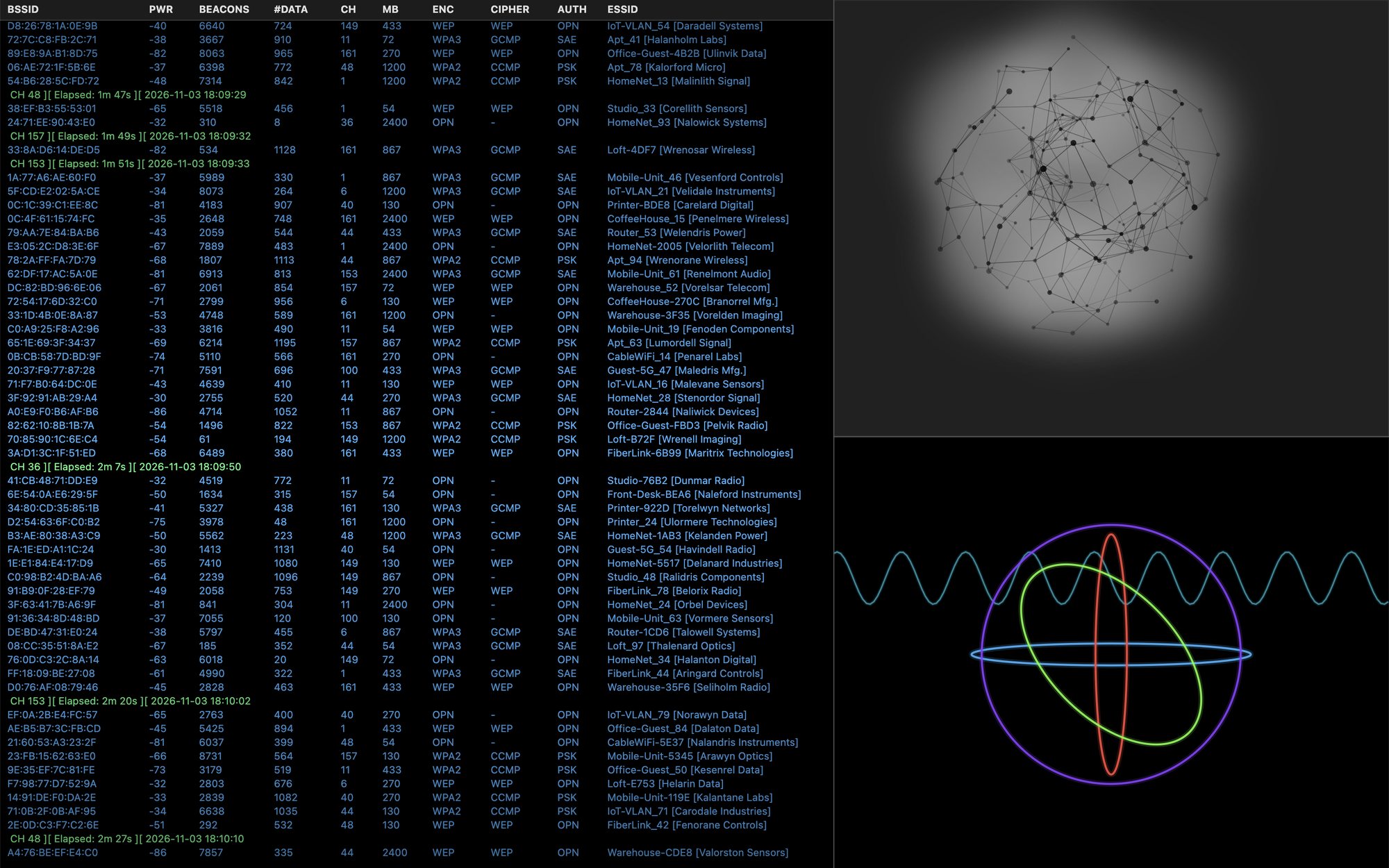
Step away without showing your work
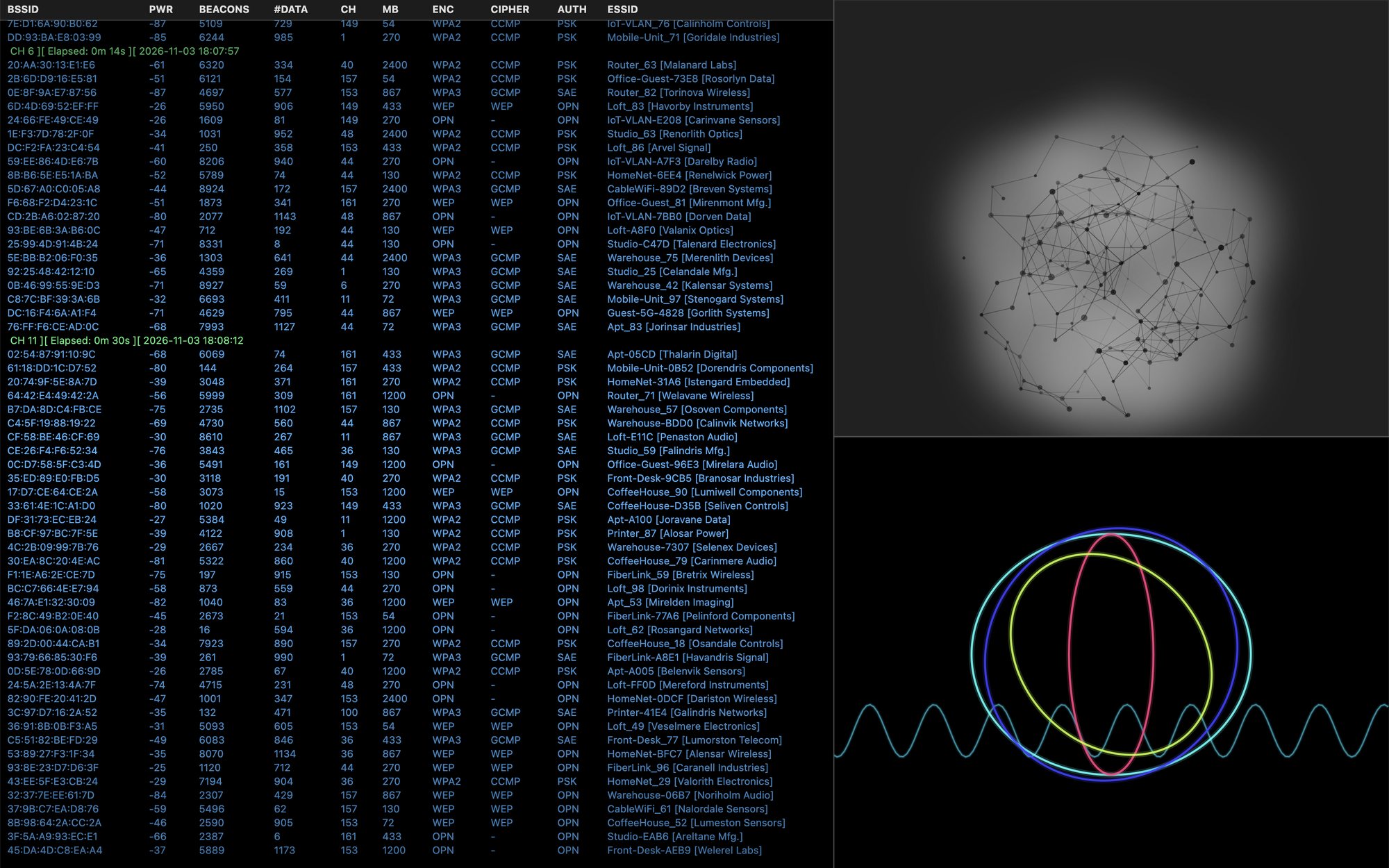
DataCurtain lives in your menu bar. When you step away, or when you press Option+H, it covers your screen with an animated, movie-style technical display: a scrolling Wi-Fi scan feed, a rotating 3D network graph, and slowly turning rings. Anyone passing by sees a busy technical screen instead of your email, documents or spreadsheets.
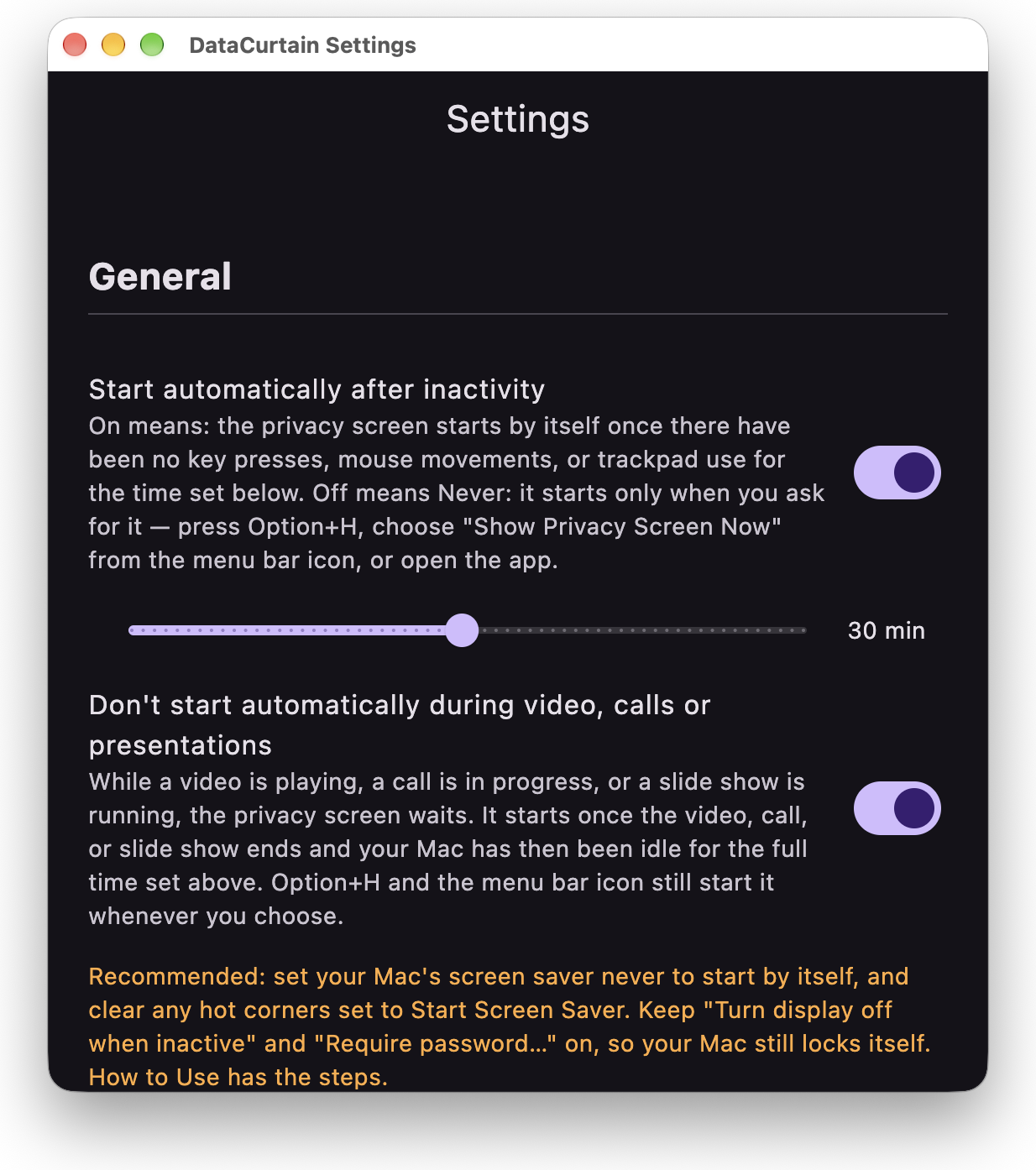
- Starts on its ownAfter 1 to 60 minutes without keyboard, mouse or trackpad use. Or set it to Never and start it only when you choose.
- One-key startOption+H puts it up instantly, from any app, including full-screen apps.
- Touch ID to closeOptionally ask for Touch ID or your Mac's password before it closes. DataCurtain never sees your password.
- Waits during calls and videoIt won't start by itself during a video, a call, or a slide show.
- Back where you wereClosing it returns you to the app you were using.
- Menu bar onlyNo Dock clutter. Optionally opens when you log in and waits quietly.
Simple settings
Choose how long your Mac sits idle before DataCurtain starts, whether it asks for Touch ID or your password, how long the display stays on, and whether it opens when you log in. That's all there is to set up.
DataCurtain hides what's on your display. For real security when you leave your Mac, use its own Lock Screen: Control+Command+Q. It works while DataCurtain is showing, and DataCurtain is still there when you unlock.
Private by design
DataCurtain collects no data, makes no network connections, and has no ads, analytics or tracking. Your settings stay on your Mac. Read the privacy policy.
Requirements
- macOS 13 Ventura or later
- Apple silicon or Intel Mac
- Covers the main display
Questions? See Support or email support@loosebraidsbakery.com.